

 100% free purchasing service fee
 20% off home delivery in Vietnam
 Priority access to exclusive deals and promotions
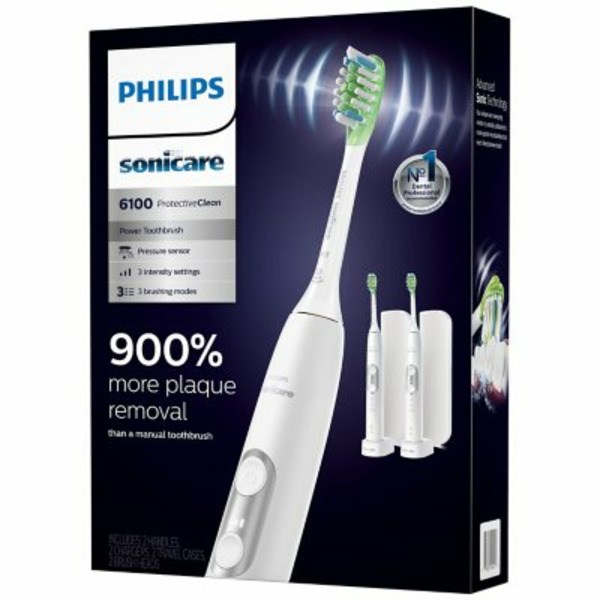
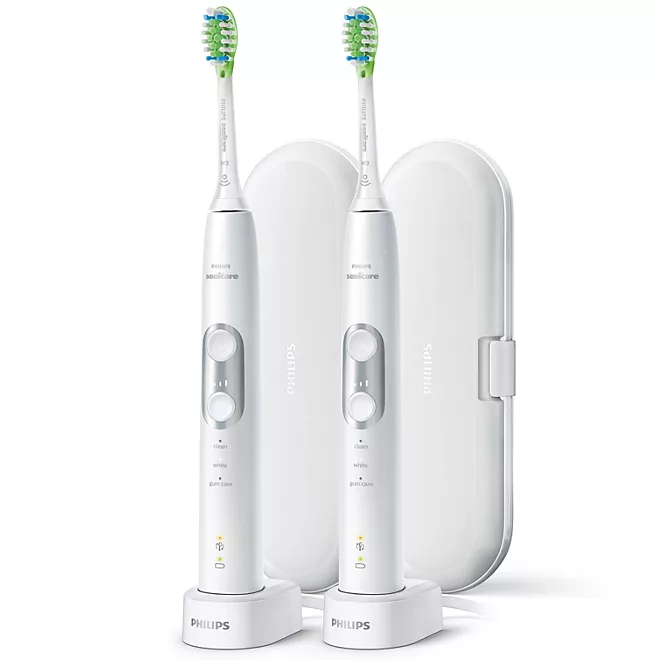
Philips Sonicare ProtectiveClean 6100 Electric Toothbrush - 2 Pack
Note: The displayed price does not include Service Fee & Shipping Fee to Vietnam.
Philips Sonicare ProtectiveClean 6100 Electric Toothbrush - 2 Pack
Brand:
PHILIPS SONICARE
Distributor:
SAM'S CLUB
Weight:
1000 g
Product code:
X0000320
$195.18
 Special offers when you are a Bach Hoa My member!
Our commitment
 Genuine American products – quality
 Buy directly in the US – no middleman
 Nationwide delivery within 7-14 days
 Delicate, polite and luxurious packaging
 Professional advice and support 24/7
 Resolve complaints quickly and transparently

American Standard Quality Genuine American goods commitment - quality
Fast & Reliable Buy directly in the US – no middleman
Fast Delivery Nationwide Nationwide delivery within 7‑14 days
Fast Support Professional consulting and support 24/7
Elegant Gift Wrapping Sophisticated and elegant wrapping
Customer Care Quick and transparent complaint resolution
-
Product description
-
Shopping guide
The Philips Sonicare ProtectiveClean 6100 electric toothbrush is designed to deliver outstanding cleaning power, removing plaque and whitening teeth more effectively than a manual toothbrush. It combines advanced sonic technology with smart features for convenient, effective daily oral care.
1. Key features
Advanced sonic technology: Delivers 31,000 brush strokes per minute, driving water and toothpaste deep between teeth and along the gumline for a thorough clean.
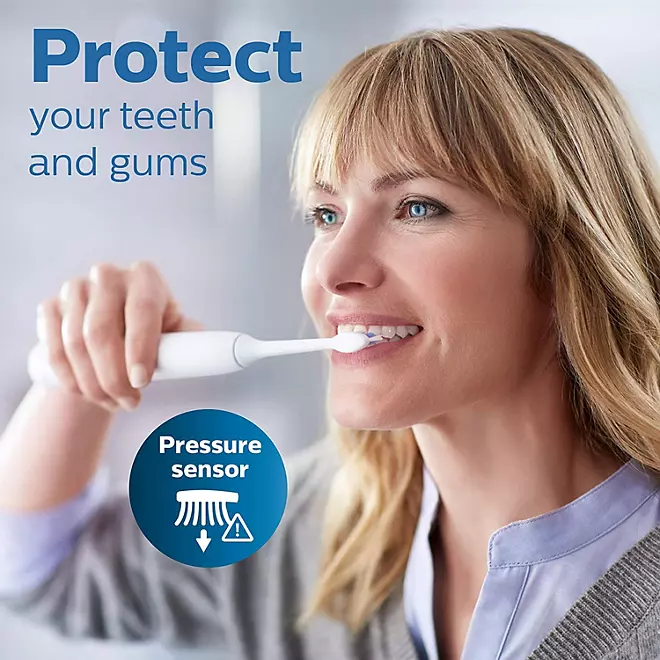
Pressure sensor: Alerts you when you brush too hard, protecting your gums and enamel from damage caused by excessive pressure.
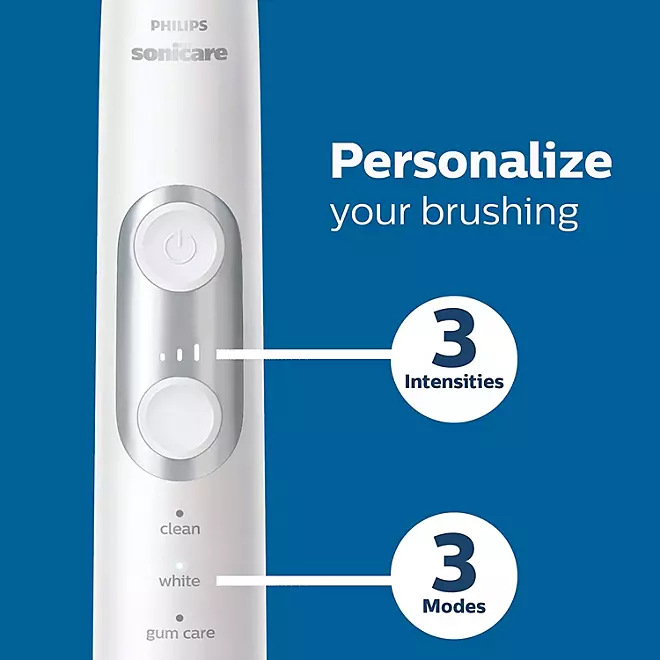
Three brushing modes and three intensity levels: Includes Clean, White and Gum Care modes, letting you customize your brushing experience to your personal needs.
Smart timer with QuadPacer: Features the dentist-recommended 2-minute timer, with a reminder every 30 seconds to move to the next section of your mouth so every area gets equal attention.
BrushSync™ technology: Tracks how long and how hard you have used your brush head and lets you know when it is time for a replacement, so you always get optimal cleaning results.
2. Benefits
Removes plaque effectively: Sonic technology removes plaque and food debris more effectively, reducing the risk of cavities and gum disease.
Whitens teeth: The White mode removes surface stains, giving you a brighter smile in just one week of use.
Improves gum health: The Gum Care mode and pressure sensor protect and care for your gums, helping prevent gingivitis and bleeding gums.
3. How to use
Attach the brush head: Push the brush head onto the Philips Sonicare ProtectiveClean 6100 handle until you hear a "click" confirming it is securely in place.
Apply toothpaste: Place a suitable amount of toothpaste on the bristles.
Select a mode and intensity: Turn on the power, then choose the brushing mode and intensity level that suit you by pressing the mode button and the intensity button on the handle.
Brush your teeth: Place the brush in your mouth, angling it slightly toward the gumline. Move the brush gently from tooth to tooth, making sure to cover every tooth surface and the spaces between teeth for at least 2 minutes.
Finish: When you are done, turn the brush off and rinse your mouth thoroughly with clean water.
4. Usage notes
Replace the brush head every 3 months of use, or sooner if the bristles are worn, to maintain optimal cleaning performance.
Avoid brushing too hard so you do not damage your gums and enamel; the pressure sensor will help you adjust to the right brushing force.
Store the brush and its accessories in a dry, cool place and keep it from touching other toothbrushes to prevent cross-contamination of bacteria.
The Philips Sonicare ProtectiveClean 6100 electric toothbrush is an ideal choice for daily oral care, helping you maintain a healthy smile and fresh breath.
Step 1: Access the website and select the product you want to buy
Step 2: Click on the product you want to buy, the screen will display a pop up with the following options
If you want to continue shopping: Click on continue shopping to choose add product to cart
If you want to view the cart to update the product: Click on view cart
If you want to order and pay for this product, please click: Order and pay
Step 3: Select payment account information
If you already have an account, please enter your login name, email and password in the section "already have an account on the system"
If you do not have an account and want to register an account, please fill in your personal information to continue registering an account. When you have an account, you can easily track your order
If you want to buy without an account, please click on the item order without an account
Step 4: Fill in your information to receive the order, choose the payment and shipping method for your order
Step 5: Review the order information, fill in the notes and submit the order
After receiving the order you sent, we will contact you by calling back to confirm your order and address.
Thank you very much.

Hotline

 Facebook